
DialoX
Knowledge Content Generator
Reading time | 5 minutes
Description
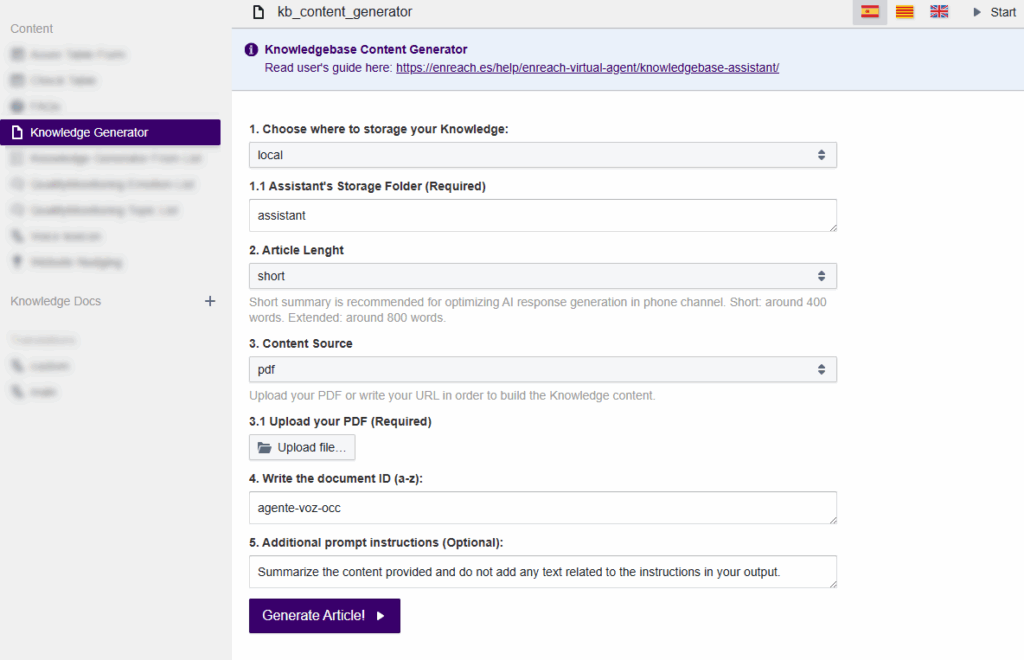
From the Knowledgebase Generator, you can import your PDF documents or enter the link to the webpage where your business documentation is located.
Generate your content
Knowledge Storage
Enter the folder where you will store the knowledge article.
- Local: the content will be stored inside the bot in the folder you define. The folder name must always be written in lowercase, without spaces and/or symbols.
- Salesforce: you must have the Salesforce integration active and specify the names of the requested API objects in the form.
Article length
- Short (400 words) is recommended if you will use the content to answer questions in phone calls.
- Extended (800 words) is recommended if you will use the content to answer questions in written channels.
Content Source
Upload your PDF file or enter the URL from which the article will be created.
Add the document ID (Required)
Enter the document name in lowercase, without symbols or spaces.
Additional prompt
Add extra instructions for extracting information from the PDF or URL.
Check the generated article
Once the assistant has generated the content, it will appear on the left side of the Content/Knowledge Docs section:
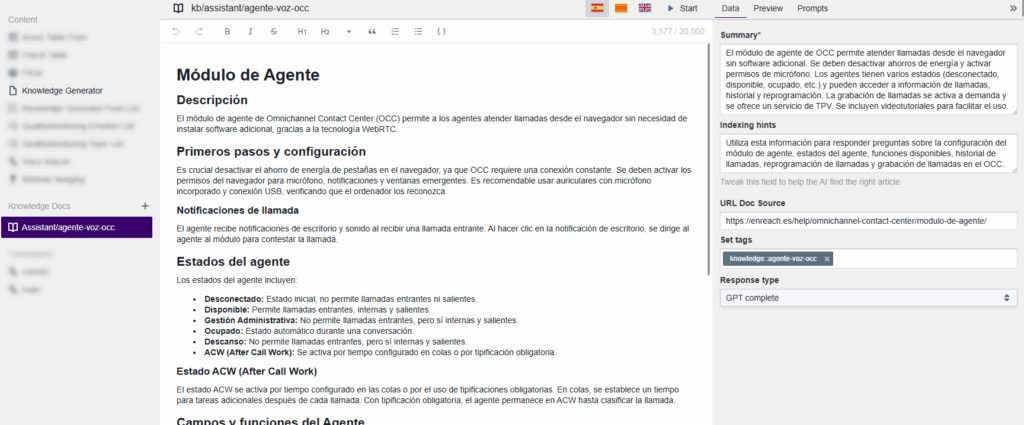
The knowledge articles consist of the following sections:
Article body
This section includes the content generated by the assistant based on the provided document or link.
Summary
Here the assistant generates a brief summary to offer a quick understanding of the article’s content.
Hints
Here the assistant generates brief indications to know when to use the article.
External URL
Space where you can add the reference URL of the article. The URL must be public and cannot be protected by a user and/or password.
Set tags
Tag generated during the document creation under the “knowledge” group. It will be used to measure article usage in responses.
Response type
The type of response the assistant will return:
- GPT Complete: uses AI to generate a conversational response.
- Return article: returns the information from the article literally, without any interpretation.
- Goto flow: if the user’s question matches the content, the user will be directed to the selected flow.
Usage and limitations
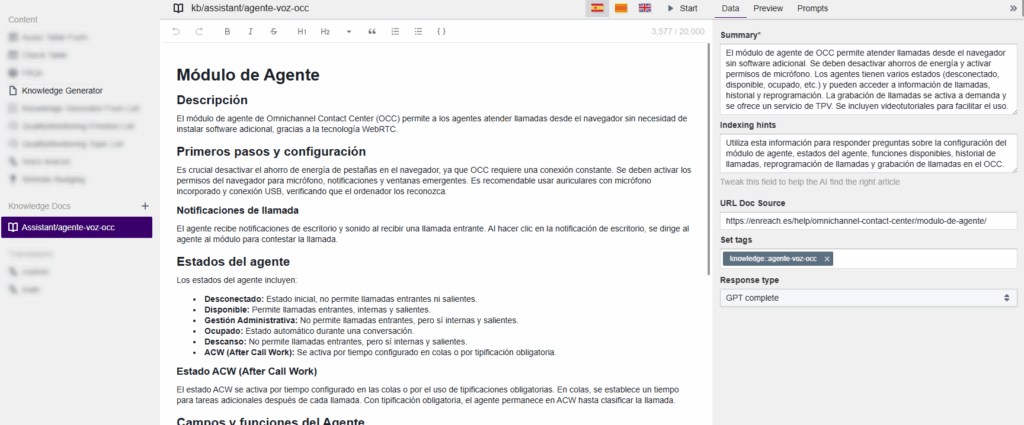
The limitations of knowledge articles are the following:
- Maximum 50 articles
- Maximum 20,000 characters
- Import web content: the webpage must have web scraping protection disabled.
- Import PDF content: the PDF must not exceed 5 pages.
FAQs
It doesn’t generate the content provided, what can I do?
If your content comes from a website, check that your site does not have web scraping protection enabled: this prevents the AI engine from extracting the content. Additionally, make sure the webpage content is concise, well structured, and does not exceed 20,000 characters. Otherwise, extraction may fail, or the assistant may timeout with an empty result.
If your content comes from a PDF, it is recommended that the PDF does not exceed 4 pages. As with webpages, verify that the PDF format is correct (titles, subtitles, pagination, etc.) and clearly structured. Otherwise, it may return empty content or timeout.
Is it mandatory to add instructions in the Additional prompt?
If the content is clear and organized, the system will extract the information by default.
However, it is always recommended to provide context about the content being processed and the key points the assistant should focus on when extracting information and generating the knowledge article.
Can I create articles with the extended option for calls?
Technically you can, but it is not optimal for the following reason: the more content that needs to be summarized to build the response, the longer the generation time will be.
To generate each answer, the assistant checks the user’s question against the available articles, and from the matching article, it builds the response by locating where the answer is. This happens in milliseconds, but still, the more articles and the more extensive their content, the longer the response will take.
Can I use the same Knowledge in all channels?
Depending on the channel, the following is recommended:
If you will use knowledge in calls, it is recommended to generate the articles in short mode and not exceed 20 articles. This is because voice channels require fast responses, and the more articles or the more extensive their content, the longer response generation will take.
For chat, you can use the extended article mode and have up to 50 articles, as response time in written channels is less critical for the user.